TikTok has become a travel guide: the cafés, viewpoints and side streets people actually go to, filmed last week. The trouble is turning a pile of saved videos into a plan. This guide goes through it step by step, from the first video to a day you can walk.
Step 1: collect, without sorting
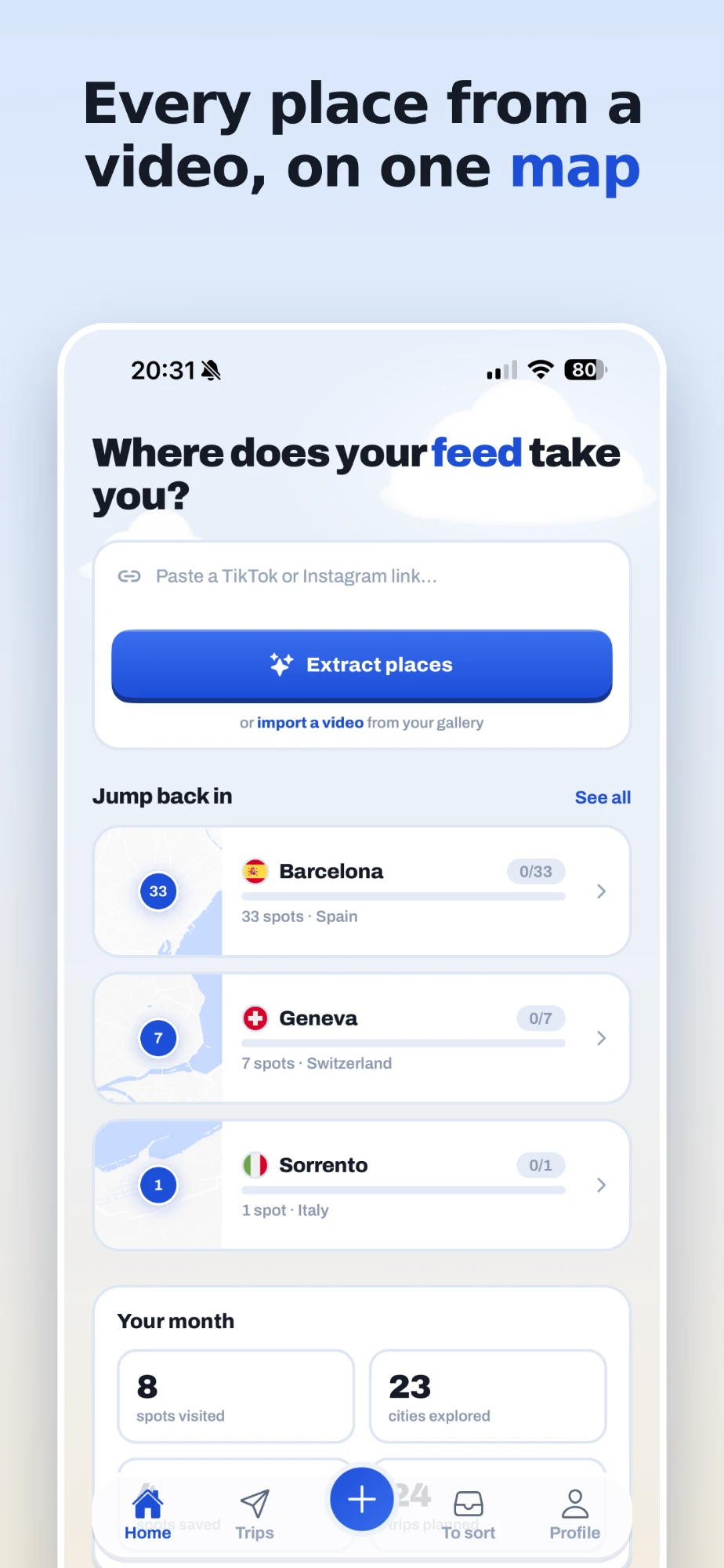
Weeks before you go, start sharing every video about your destination to feedtrip as you come across it: in TikTok, tap Share, then feedtrip. Do not stop to sort anything. Each place the video shows is pulled out with its real name and address and dropped into a trip named after its city.
A good habit is to search TikTok for your destination with words like "best places", "where to eat" or "hidden gems", and share the five or six videos that look most like your kind of trip. Videos from people who name their spots give the best results.
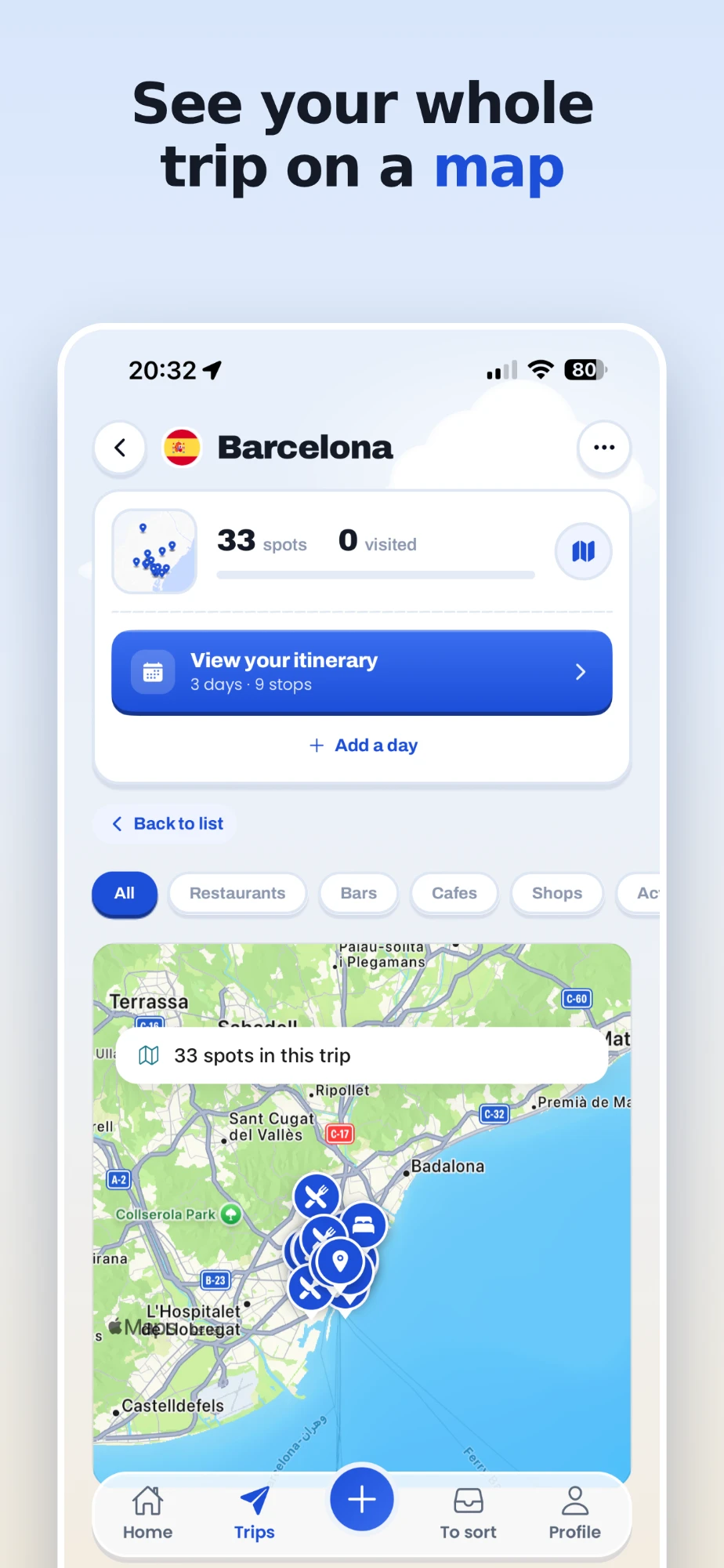
Step 2: look at the map, not the list
After a few videos, open the trip. Seeing the places on a map changes how you plan: you notice that four of your restaurants are in the same neighbourhood, that the viewpoint everyone films is a forty-minute walk from everything else, and that one area keeps coming back across creators. That cluster is often where you want to stay.
Filter by category when you need to: only cafés for the mornings, only museums for a rainy day.
Step 3: fill the gaps with places you already know
Add what did not come from TikTok. A restaurant a friend recommended, a place from a blog, a hotel: share it from Google Maps to feedtrip and it joins the same trip, without using one of your monthly video scans. If you keep starred places in Google Maps, the whole list can be imported from a computer.
Before you leave, set where you are staying. It lets each day start from your hotel and come back to it.
Step 4: build one day at a time
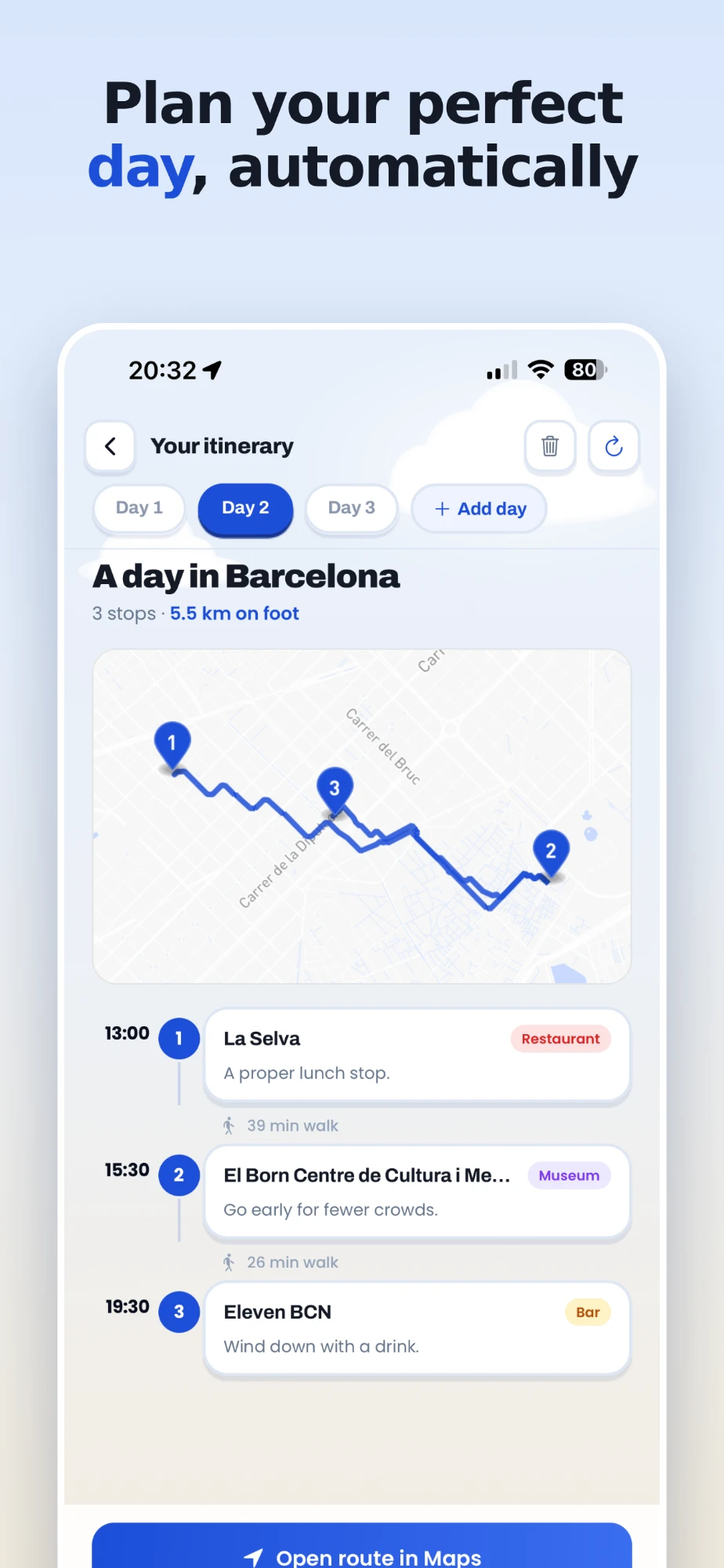
Open Plan my day and pick the places you want for one day, five or six is plenty. feedtrip puts them in an order that avoids zig-zagging, gives each stop a time, with meals at meal times, writes a short note for each one and draws the walking route between them, with how long each leg takes.
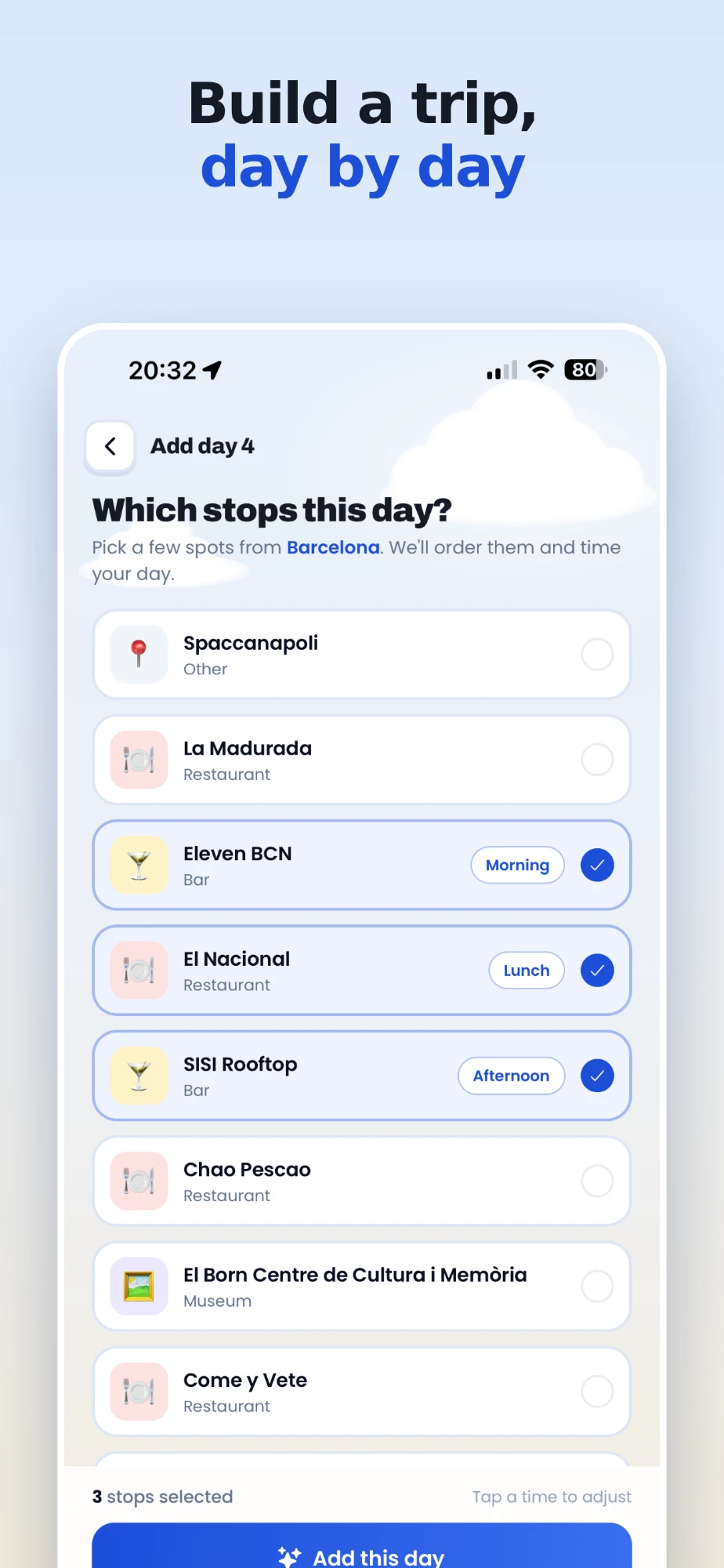
Not happy with the result? Move a stop up or down, take one out, or choose its moment yourself (morning, lunch, afternoon, evening) and the times follow. Then add day two, day three and so on. All the days stay in the trip, and the Itineraries tab gathers every day you have planned.
Step 5: use it on the ground
On the day, open the itinerary. The whole route opens in Google Maps or Apple Maps in one tap for directions, and each place has its address, opening hours and a link back to the video it came from, handy when you want to know what the creator ordered. Tick places off as you visit them.
A few tips that make a difference
- Save more than you need. Planning is choosing, and choosing is easier with options.
- Keep days walkable. Five stops with real walks between them beats nine with a taxi between each.
- Check opening days. A video filmed in summer does not know the place closes on Mondays.
- Share the trip. A link lets whoever you travel with see the map in their browser, no account needed.
What you need
feedtrip runs on iPhone, Android and the web. Collecting places is free, with 3 video scans a month and unlimited trips. Plan my day is part of Pro (9,99 € a month or 59,99 € a year), which also gives you 50 scans a month.
Plan your next trip from your feed
Start with one video. The map builds itself from there.
Free to start: 3 extractions a month, unlimited trips, no card needed. Or use it on the web at feedtrip.app.